Groovy Regular Expressions - The Definitive Guide (Part 1)
Welcome to "Groovy Regular Expressions - The Definitive Guide"! In the next 15 minutes, you are going to learn everything you need to start working productively with regular expressions in Groovy programming language. Let’s get started!
- Author
- Published
- Reading time10 minutes
- Discussion

Introduction
I always found working with regular expressions in Java kind error-prone. It happened to me many times that I didn’t escape backslash character enough times, or I forgot to call matcher.matches() or matcher.find() explicitly. Luckily, the Groovy programming language makes working with regex much simpler. Let’s start by learning a few new operators that drastically improve our experience.
Operators
~string (pattern operator)
Groovy makes initializing java.util.regex.Pattern class simple thanks to the pattern operator. All you have to do is to put ~ right in front of the string literal (e.g. ~"([Gg]roovy)"), and it creates java.util.regex.Pattern object instead of the java.lang.String one.
import java.util.regex.Pattern

def pattern = ~"([Gg])roovy"

assert pattern.class == Pattern
The above example is an equivalent of the following (more explicit) code:
import java.util.regex.Pattern

def pattern = Pattern.compile("([Gg])roovy")

assert pattern.class == Pattern
The difference between ~"pattern" and ~/pattern/
Groovy offers one significant improvement when it comes to working with regular expressions - so-called slashy strings. This syntax produces either regular The most useful feature of slashy string is that it eliminates the need for escaping backslashes in the regular expression. Of course, you have to remember to escape |
=~ (find operator)
To create java.util.regex.Matcher object, you can use Groovy’s find operator. On the left side, you put a string you want to test matching on. On the right side, you put a pattern, that can be either java.util.regex.Pattern or java.lang.String. Consider the following example.
// Running on Groovy 3.0.3

def pattern = ~/\S+er\b/
def matcher = "My code is groovier and better when I use Groovy there" =~ pattern

assert pattern instanceof java.util.regex.Pattern
assert matcher instanceof java.util.regex.Matcher

assert matcher.find()
assert matcher.size() == 2
assert matcher[0..-1] == ["groovier", "better"]
Creating java.util.regex.Pattern object in the above example is optional. Instead, we could define a pattern using slashy string directly in the matcher line.
// Running on Groovy 3.0.3

def matcher = "My code is groovier and better when I use Groovy there" =~ /\S+er\b/

assert matcher instanceof java.util.regex.Matcher

assert matcher.find()
assert matcher.size() == 2
assert matcher[0..-1] == ["groovier", "better"]
When you get the java.util.regex.Matcher object, you can essentially use any of its standard methods, or you can continue reading to learn more Groovy way to do it.
Using =~ operator in context of boolean
You can also use java.util.regex.Matcher object in the context of the boolean expression (e.g., inside the if-statement.) In this case, Groovy implicitly invokes the matcher.find() method, which means that the expression evaluates to true if any part of the string matches the pattern.
// Running on Groovy 3.0.3

if ("My code is groovier and better when I use Groovy there" =~ /\S+er\b/) {
    println "At least one element matches the pattern..."
}

if ("Lorem ipsum dolor sit amet" =~ /\d+/) {
    println "This line is not executed..."
}
==~ (exact match operator)
Groovy also adds a very useful ==~ exact match operator. It can be used in a similar way to the find operator, but it behaves a bit differently. It does not create java.util.regex.Matcher object, and instead, it returns boolean value. You can think of it as an equivalent of matcher.matches() method call - it tests if the entire string matches given pattern.
// Running on Groovy 3.0.3

assert "v3.12.4" ==~ /v\d{1,3}\.\d{1,3}\.\d{1,3}/

assert !("GROOVY-123: some change" ==~ /[A-Z]{3,6}-\d{1,4}/)

assert "GROOVY-123: some change" ==~ /[A-Z]{3,6}-\d{1,4}.{1,100}/
Usage examples
Checking if specific string matches given pattern is not the only thing you can do with regular expressions. In many cases, you want to extract the data that matches the specific pattern or even replace all occurrences with a new value. You will learn how you can do such things using Groovy.
Extracting all matching elements
Let’s begin with extracting all matching elements. Groovy adds findAll() method to java.util.regex.Matcher class, and when invoked, it returns all matching elements. The below example uses this technique to extract all numbers from the given text.
// Running on Groovy 3.0.3

def text = """ (1)
This text contains some numbers like 1024
or 256. Some of them are odd (like 3) or
even (like 2).
"""

def result = (text =~ /\d+/).findAll()

assert result == ["1024", "256", "3", "2"] (2)| 1 | Groovy’s multiline string example. |
| 2 | Extracted values are of java.lang.String type. You may need to map them to integers if needed. |
Extracting words that begin and end with the same letter
Let’s take a look at some practical more examples. In some cases, you need to extract words that start and end with the same (case-insensitive) letter. We could use a pattern /(?i)\b([a-z])[a-z]*\1\b/, where:
(?i)makes matching case-insensitive,\b([a-z])defines a group that matches the first letter in the word,\1refers to the first group (first letter in the word), and\bmatches the end of the word.
This pattern extracts both the matching word and the letter. In Groovy, we can use spread operator to call first() method on each element to extract matching words.
// Running on Groovy 3.0.3

def result = ("This is test. Test is good, lol." =~ /(?i)\b([a-z])[a-z]*\1\b/).findAll()*.first()

assert result == ["test", "Test", "lol"]
Extracting matching element(s) using named group
Java (and thus Groovy) supports named groups in the regular expressions. When you group a pattern using parentheses, add ?<name> right after the opening parenthesis to name a group. Naming groups allows you to extract values from matching pattern using those names, instead of the numeric index value. You can also use this named group to refer to the matching value when you call replaceAll() method on a matcher object.
In the below example, we use a pattern that defines ?<jira> named group.
// Running on Groovy 3.0.3

def matcher = "JIRA-231 lorem ipsum dolor sit amet" =~ /^(?<jira>[A-Z]{2,4}-\d{1,3}).*$/

assert matcher.matches() (1)
assert matcher.group("jira") == "JIRA-231" (2)
assert matcher.replaceAll('Found ${jira} ID') == 'Found JIRA-231 ID' (3)| 1 | You need to test if pattern matches before you can extract group by name. |
| 2 | When the string matches the pattern, you can use group(name) method to extract matching group. |
| 3 | We can also use replaceAll() method to create a new string. Make sure you use a single quote String. Otherwise Groovy will try to interpolate ${jira} and fail. |
Using multi assignment to extract matching elements
Another useful feature is multiple variable assignment. We can use it to extract matching values and assign them directly to specific variables. Let’s say you are parsing some data containing items with their prices and (optional) discount. Here is how you can extract price and discount and assign it to a variable in one line.
// Running on Groovy 3.0.3

def (_,price,discount) = ('Some item name: $99.99 (-15%)' =~ /\$(\d{1,4}\.\d{2})\s?\(?(-\d+%)?\)?/)[0]

assert _ == '$99.99 (-15%)'
assert price == "99.99"
assert discount == "-15%"
I used _ as a name for the first variable that stores matching region, not useful in our case. Now, what happens if the row we process does not contain any discount information? The discount variable is set to null.
// Running on Groovy 3.0.3

def (_,price,discount) = ('Some item name: $49.99' =~ /\$(\d{1,4}\.\d{2})\s?\(?(-\d+%)?\)?/)[0]

assert _ == '$49.99'
assert price == "49.99"
assert discount == null
Another popular example is extracting minor, major, and patch parts from the semantic version name. We can use multiple assignments to extract all three parts in a single line of code.
// Running on Groovy 3.0.3

def (_,major,minor,patch) = ("v3.21.0" =~ /^v(\d{1,3})\.(\d{1,3})\.(\d{1,3})$/)[0]

assert _ == "v3.21.0"
assert major == "3"
assert minor == "21"
assert patch == "0"
Groovy Tutorial | Working with regular expressions | #groovylang
In this video, I show you three features that make working with regular expressions in the Groovy programming language a hit! Java made us used to verbose regex processing. We had to write a few lines of code just to perform some simple regex. It doesn't have to be this way. Groovy makes working with regex very simple, thanks to the find operator (=~), exact match operator (==~), or slashy strings (e.g. /\d+\.\d+\.\d+/) that make writing regular expressions as simple as possible. Watch now »
Replacing matching elements using replaceFirst()
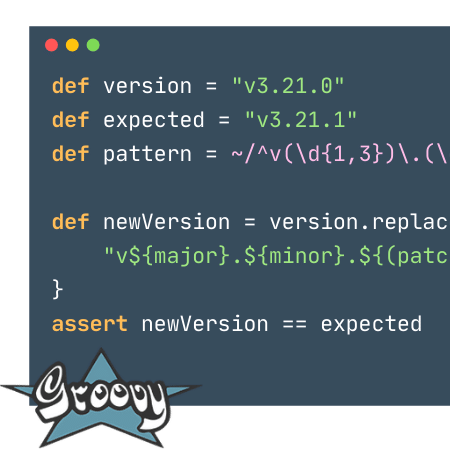
Extracting parts of the semantic version name to specific variables looks good, but what if I want to generate a new version by incrementing the patch part? Well, there is a simple solution to that problem as well. Groovy overloads String.replaceFirst(String rgxp, String replacement) method with replaceFirst(Pattern p, Closure c) and this variant is very powerful. We can extract matching parts in the closure and modify them as we wish. Take a look at the following example to see how you can increment the patch part in the semantic version.
replaceFirst() to increment patch part of the semantic version.// Running on Groovy 3.0.3
def version = "v3.21.0"
def expected = "v3.21.1"
def pattern = ~/^v(\d{1,3})\.(\d{1,3})\.(\d{1,3})$/
def newVersion = version.replaceFirst(pattern) { _, major, minor, patch ->
"v${major}.${minor}.${(patch as int) + 1}"
}
assert newVersion == expectedUsing pattern matcher in the switch case
Groovy extends supported types in the switch statement and allows you to use patterns. In this case, Groovy executes matcher.find() method to test if any region of the input string matches the pattern. Consider the following example.
// Running on Groovy 3.0.3

def input = "test"

switch (input) {
    case ~/\d{3}/:
        println "The number has 3 digits."
        break

    case ~/\w{4}/:
        println "The word has 4 letters."
        break

    default:
        println "Unrecognized..."
}
Running the above example produces the following output.
The word has 4 letters.
0 Comments